App-ads.txt tells you which accounts an app publisher authorizes. The harder question is often the catalog itself: which titles exist, who publishes them, what they disclose in Play Data Safety or Apple App Privacy, and how CTV channels on Roku or Fire TV show up next to mobile packages.
DecryptAds ingests a large app store catalog — Google Play, Apple App Store, Roku, and Fire TV — and exposes it under Tools → App store catalog (decryptads.com/apps). When the same store id appears in crawls, rows join to app-ads.txt on publisher profiles.
Search and filters
The top bar covers the everyday lookups:
- Query — app name, developer name / id, or store id (substring by default)
- Store — all stores, or lock to Play / Apple / Roku / Fire TV
- Exact store id only — for package names, numeric Apple ids, Roku channel ids, or Fire ASINs
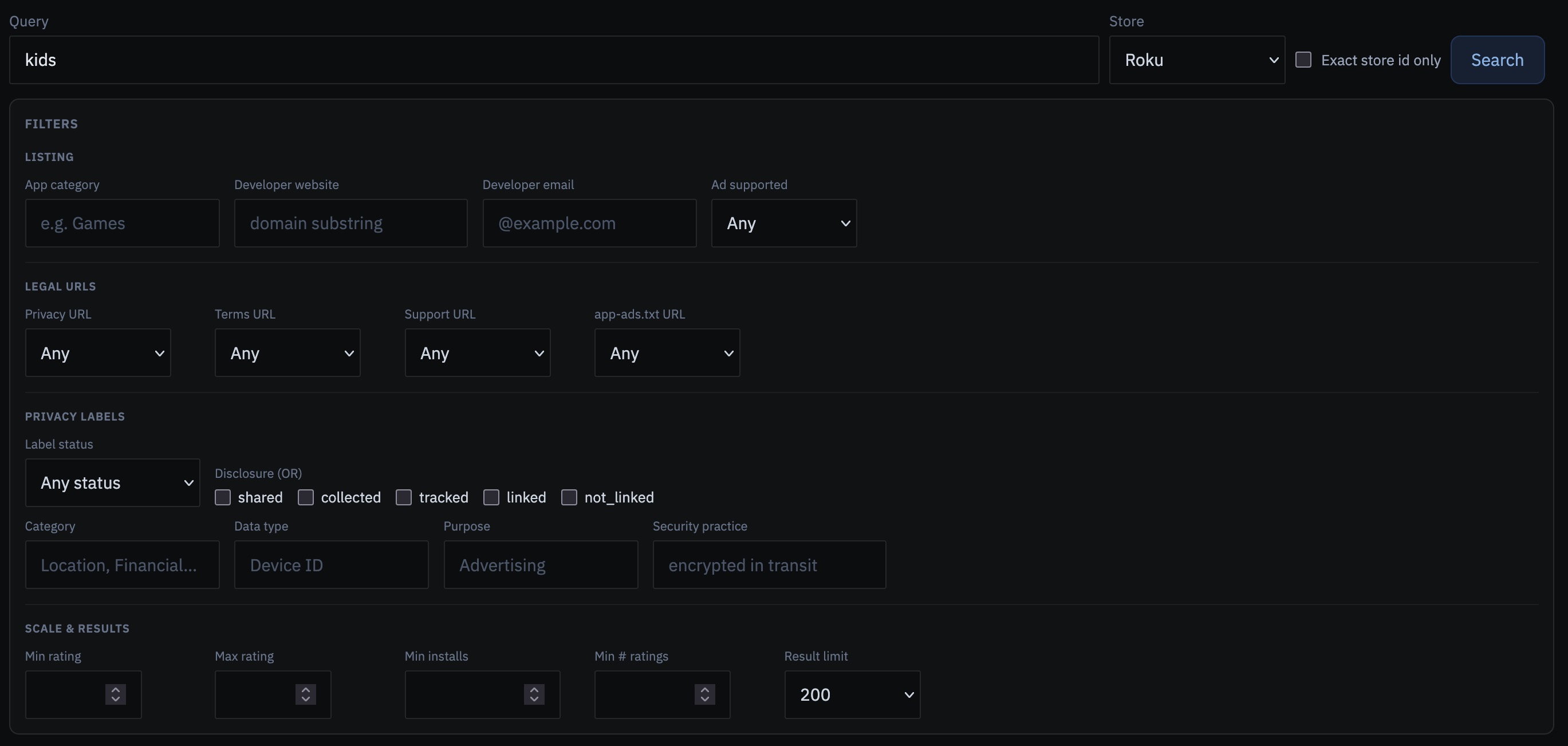
Below that, filters let you ask more specific diligence questions without leaving the page:
category and developer website/email, presence of privacy / terms / support / app-ads.txt URLs,
privacy-label status, disclosure types (shared, collected, tracked, linked, not_linked),
privacy category / data type / purpose, security practices, and rating or install floors.
Results are expandable: summary columns for store, name, developer, website, and rating;
detail for store id, legal URLs, installs, and CTV fields when present. Export CSV or JSON
when you need a case file. API: GET /store_apps/search.
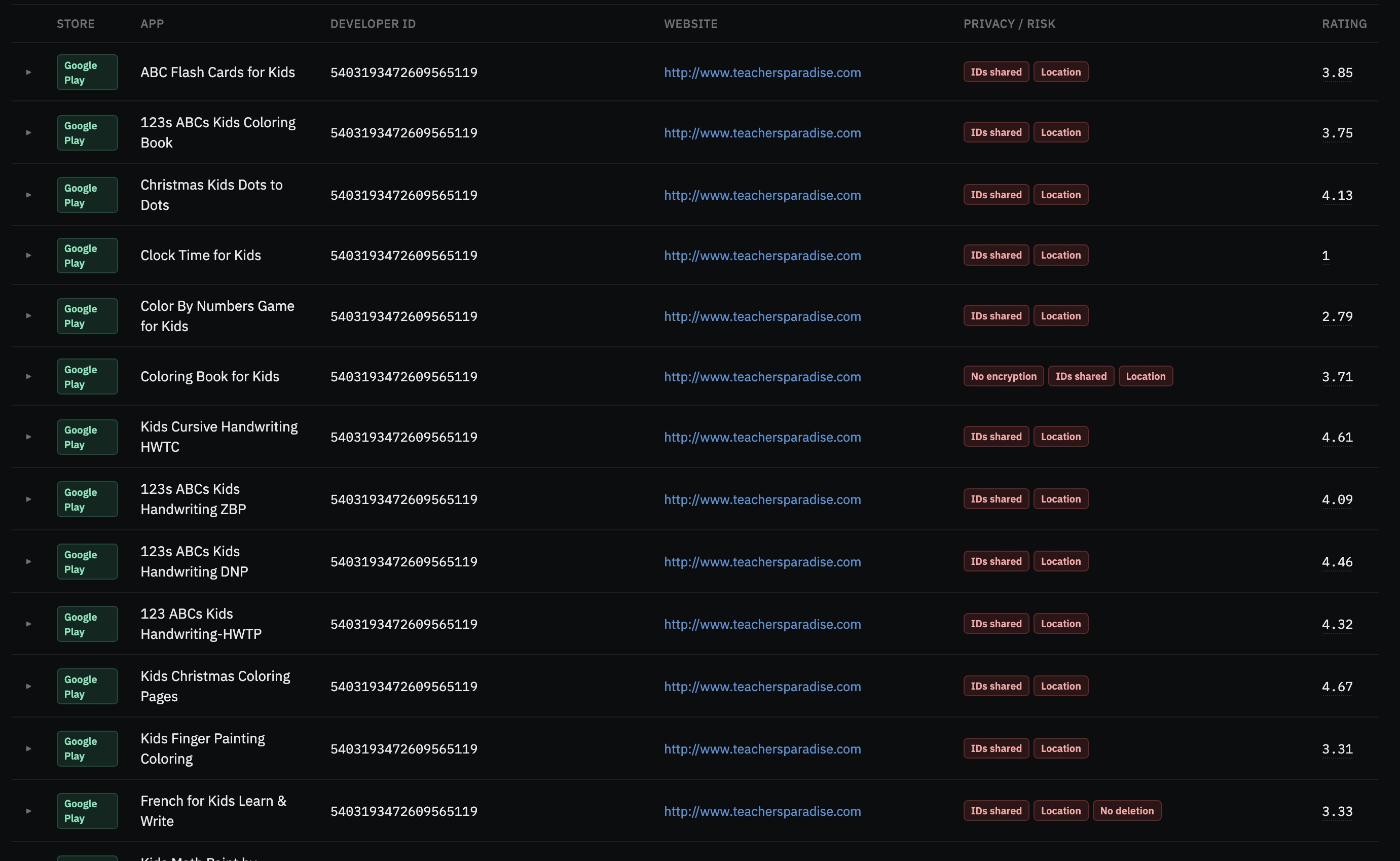
Example: kids apps that share location
A common investigation prompt is: titles that look child-directed, yet declare shared location data on Google Play. In the catalog UI you can combine:
- Query:
kids - Store: Google Play
- Disclosure: shared
- Privacy category: Location
- Label status: ok
Same idea as a deep link like
/apps?q=kids&store=google&disclosure=shared&privacy_category=Location&privacy_status=ok.
Expand a row to read the label table — treat disclosures as the publisher’s own statements,
then verify on the live listing before you act.
CTV: Roku and Fire TV in the same catalog
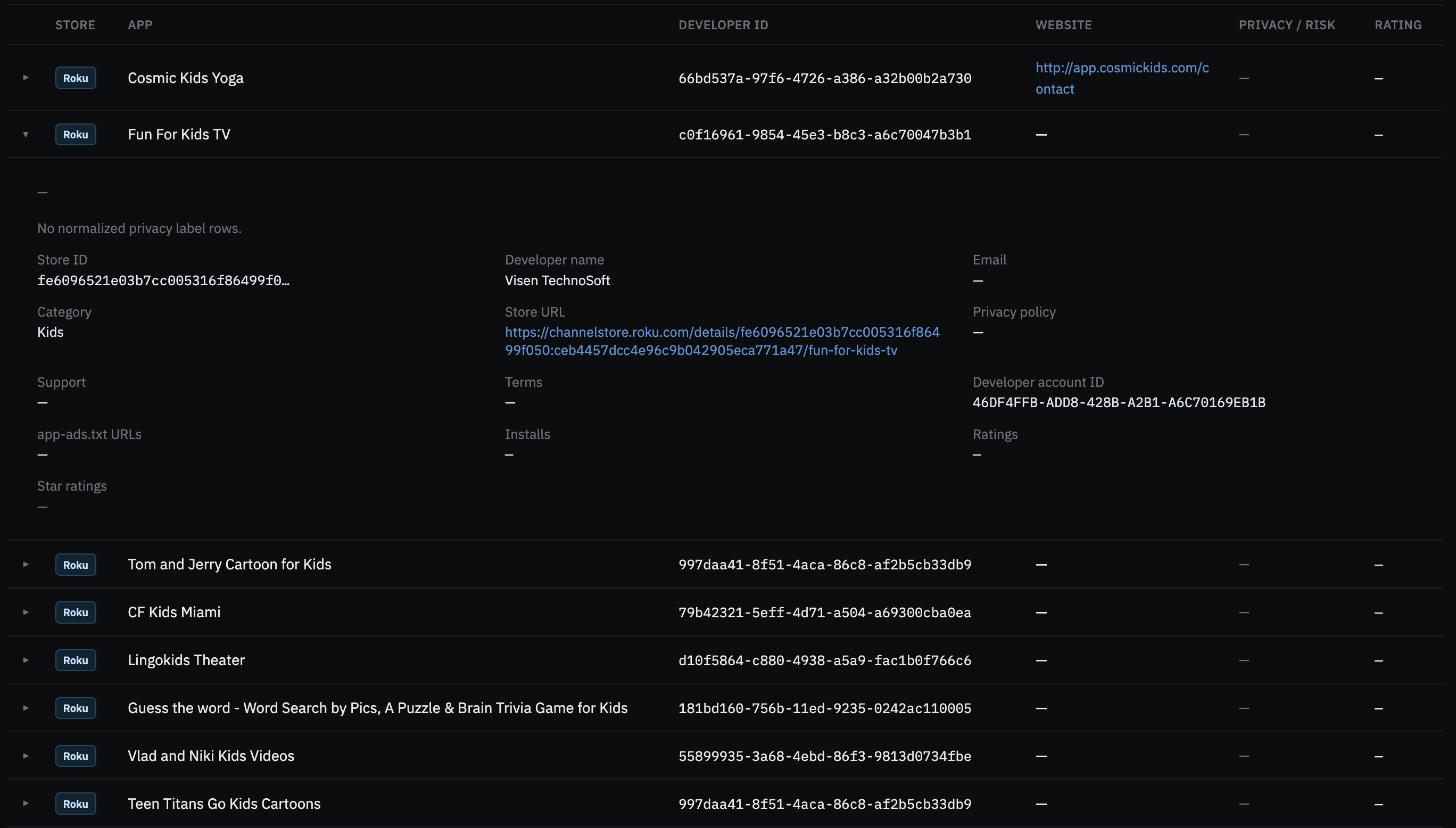
Mobile packages are only half the story. Set Store to Roku or Fire TV (or search a known channel id / ASIN with exact store id) to browse CTV titles alongside the same developer and legal-URL fields. Expanded rows surface privacy, support, terms, and store URLs when the ingest captured them — useful when an app-ads.txt line only shows an opaque store id and you need the human-readable channel.
Filters panel at a glance
Listing, legal URL presence, privacy labels, and scale controls live in one panel so you can stack conditions — e.g. ad-supported kids titles missing a privacy URL, or high-install Play apps that track Device ID for advertising. Raise the result limit when a query is capped.
Try it
Tools → App store catalog · header search mode App store catalog · Help: /help/#apps
Catalog data is read-only from ingested scrapes and bulk files — the API does not live-query Play or the App Store when a row is missing. For the broader investigative toolkit, see What DecryptAds analyzes.